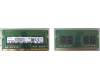
Laptop RAM

Why order laptop RAM from IPC-Computer?

  • Our quality assurance secures safe use
  • Now New! Our memory from the new Asus brand JoGeek
  • Our RAM-Module-Finder helps you finding the right RAM memory easily and quickly
  • Free technical support for RAM related questions
Laptop RAM

The most purchased memory

Hynix HMCG88AGBSA memory 32GB DDR5-RAM

Hynix HMCG88AGBSA memory 32GB DDR5-RAM
In stock
189.00 EUR
incl. Tax (19%)
plus shipping charges

Substitute for Acer KN.0320G.029 memory 32GB DDR5-RAM

Substitute for Acer KN.0320G.029 memory 32GB DDR5-RAM
In stock
189.00 EUR
incl. Tax (19%)
plus shipping charges

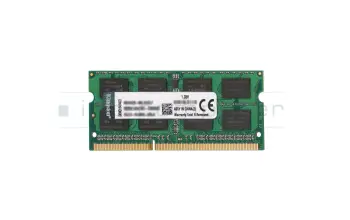
Kingston KVR16LS11/8 memory 8GB DDR3L-RAM

Kingston KVR16LS11/8 memory 8GB DDR3L-RAM
In stock
64.00 EUR
incl. Tax (19%)
plus shipping charges

Kingston KCP3L16SD8/8 memory 8GB DDR3L-RAM

Kingston KCP3L16SD8/8 memory 8GB DDR3L-RAM
In stock
64.00 EUR
incl. Tax (19%)
plus shipping charges

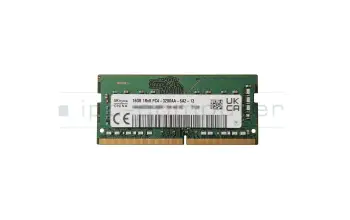
Crucial CT16G4SFD832A memory 16GB DDR4-RAM

Crucial CT16G4SFD832A memory 16GB DDR4-RAM
Small stock
119.00 EUR
incl. Tax (19%)
plus shipping charges

Crucial CT16G4SFRA32A memory 16GB DDR4-RAM

Crucial CT16G4SFRA32A memory 16GB DDR4-RAM
Small stock
119.00 EUR
incl. Tax (19%)
plus shipping charges

Kingston KF556S40IB-16 memory 16GB DDR5-RAM

Kingston KF556S40IB-16 memory 16GB DDR5-RAM
Small stock
193.00 EUR
incl. Tax (19%)
plus shipping charges

Kingston 9905790-052.A00G memory 16GB DDR5-RAM

Kingston 9905790-052.A00G memory 16GB DDR5-RAM
Small stock
193.00 EUR
incl. Tax (19%)
plus shipping charges

Crucial CT8G4SFRA32A memory 8GB DDR4-RAM

Crucial CT8G4SFRA32A memory 8GB DDR4-RAM
In stock
63.00 EUR
incl. Tax (19%)
plus shipping charges

Crucial CT8G4SFS832A memory 8GB DDR4-RAM

Crucial CT8G4SFS832A memory 8GB DDR4-RAM
In stock
63.00 EUR
incl. Tax (19%)
plus shipping charges

Substitute for Micron MTA4ATF1G64HZ-3G2F1 memory 8GB DDR4-RAM

Substitute for Micron MTA4ATF1G64HZ-3G2F1 memory 8GB DDR4-RAM
In stock
63.00 EUR
incl. Tax (19%)
plus shipping charges

Crucial CT16G56C46S5 memory 16GB DDR5-RAM

Crucial CT16G56C46S5 memory 16GB DDR5-RAM
Small stock
173.00 EUR
incl. Tax (19%)
plus shipping charges

Substitute for Asus 03A12-00022600 memory 16GB DDR5-RAM

Substitute for Asus 03A12-00022600 memory 16GB DDR5-RAM
Small stock
173.00 EUR
incl. Tax (19%)
plus shipping charges

Alternative for Hynix HMCG78AGBSA memory 16GB DDR5-RAM

Alternative for Hynix HMCG78AGBSA memory 16GB DDR5-RAM
Small stock
173.00 EUR
incl. Tax (19%)
plus shipping charges

Alternative for Samsung M425R2GA3PB0-CWM memory 16GB DDR5-RAM

Alternative for Samsung M425R2GA3PB0-CWM memory 16GB DDR5-RAM
Small stock
173.00 EUR
incl. Tax (19%)
plus shipping charges

Alternative for Micron MTC8C1084S1SC56BD1 memory 16GB DDR5-RAM

Alternative for Micron MTC8C1084S1SC56BD1 memory 16GB DDR5-RAM
Small stock
173.00 EUR
incl. Tax (19%)
plus shipping charges

Hynix HMA81GS6DJR8N-XN memory 8GB DDR4-RAM

Hynix HMA81GS6DJR8N-XN memory 8GB DDR4-RAM
In stock
59.00 EUR
incl. Tax (19%)
plus shipping charges

Substitute for Acer KN.8GB0G.069 memory 8GB DDR4-RAM

Substitute for Acer KN.8GB0G.069 memory 8GB DDR4-RAM
In stock
59.00 EUR
incl. Tax (19%)
plus shipping charges

Crucial CT32G56C46S5 memory 32GB DDR5-RAM

Crucial CT32G56C46S5 memory 32GB DDR5-RAM
Small stock
229.00 EUR
incl. Tax (19%)
plus shipping charges

Alternative for Asus 03A12-00030700 memory 32GB DDR5-RAM

Alternative for Asus 03A12-00030700 memory 32GB DDR5-RAM
Small stock
229.00 EUR
incl. Tax (19%)
plus shipping charges

Alternative for Dell AC774052 memory 32GB DDR5-RAM

Alternative for Dell AC774052 memory 32GB DDR5-RAM
Small stock
229.00 EUR
incl. Tax (19%)
plus shipping charges

Alternative for Hynix HMCG88AGBSA memory 32GB DDR5-RAM

Alternative for Hynix HMCG88AGBSA memory 32GB DDR5-RAM
Small stock
229.00 EUR
incl. Tax (19%)
plus shipping charges

RN12H original Dell CAMM Adapter for 2x SO-DIMM DDR5 RAM
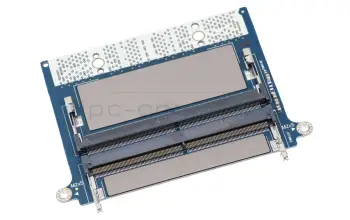
RN12H original Dell CAMM Adapter for 2x SO-DIMM DDR5 RAM
In stock
65.00 EUR
incl. Tax (19%)
plus shipping charges

Hynix HMAA2GS6CJR8N-XN memory 16GB DDR4-RAM

Hynix HMAA2GS6CJR8N-XN memory 16GB DDR4-RAM
In stock
99.00 EUR
incl. Tax (19%)
plus shipping charges

Substitute for Acer KN.16G0G.036 memory 16GB DDR4-RAM

Substitute for Acer KN.16G0G.036 memory 16GB DDR4-RAM
In stock
99.00 EUR
incl. Tax (19%)
plus shipping charges

Find the right battery by model or features

Noch 2584 Produkte in Ihrem Filter

Search article by model name...


... or select via the model tree

finder
0 to 509
2584

Fujitsu CP823289-XX MEMORY 4GB

Fujitsu CP823289-XX MEMORY 4GB
Order relatedOrdered directly from TravelMate 6000 SerieDelivery time about 1 - 3 weeks
123.00 EUR
incl. Tax (19%)
plus shipping charges

Fujitsu CP823290-XX MEMORY 8GB

Fujitsu CP823290-XX MEMORY 8GB
Order relatedOrdered directly from TravelMate 6000 SerieDelivery time about 1 - 3 weeks
284.00 EUR
incl. Tax (19%)
plus shipping charges

Fujitsu CP823291-XX MEMORY 16GB

Fujitsu CP823291-XX MEMORY 16GB
Order relatedOrdered directly from TravelMate 6000 SerieDelivery time about 4 - 13 weeks
566.00 EUR
incl. Tax (19%)
plus shipping charges

Fujitsu CP823292-XX MEMORY 32GB

Fujitsu CP823292-XX MEMORY 32GB
Order relatedOrdered directly from TravelMate 6000 SerieDelivery time about 4 - 13 weeks
1,119.00 EUR
incl. Tax (19%)
plus shipping charges

Fujitsu CP829340-XX MEMORY 4GB

Fujitsu CP829340-XX MEMORY 4GB
Order relatedOrdered directly from TravelMate 6000 SerieDelivery time about 1 - 3 weeks
159.00 EUR
incl. Tax (19%)
plus shipping charges

Fujitsu CP829341-XX MEMORY 8GB

Fujitsu CP829341-XX MEMORY 8GB
Order relatedOrdered directly from TravelMate 6000 SerieDelivery time about 1 - 3 weeks
299.00 EUR
incl. Tax (19%)
plus shipping charges

Fujitsu CP829342-XX MEMORY 16GB

Fujitsu CP829342-XX MEMORY 16GB
Order relatedOrdered directly from TravelMate 6000 SerieDelivery time about 4 - 13 weeks
608.00 EUR
incl. Tax (19%)
plus shipping charges

Fujitsu CP829343-XX MEMORY 32GB

Fujitsu CP829343-XX MEMORY 32GB
Order relatedOrdered directly from TravelMate 6000 SerieDelivery time about 4 - 13 weeks
1,119.00 EUR
incl. Tax (19%)
plus shipping charges

Acer KN.8GB04.063 SODIMM.8GB.DDR4.3200.MICRON

Acer KN.8GB04.063 SODIMM.8GB.DDR4.3200.MICRON
Order relatedOrdered directly from TravelMate 6000 SerieDelivery time about 3 - 8 days
78.00 EUR
incl. Tax (19%)
plus shipping charges

Acer KN.16G04.018 DIMM.16GB.DDR5.4800.MICRON

Acer KN.16G04.018 DIMM.16GB.DDR5.4800.MICRON
Order relatedOrdered directly from TravelMate 6000 SerieDelivery time about 3 - 8 days
201.00 EUR
incl. Tax (19%)
plus shipping charges

The newest RAM in our assortment

Hynix HMCG88AGBSA memory 32GB DDR5-RAM

Hynix HMCG88AGBSA memory 32GB DDR5-RAM
In stock
189.00 EUR
incl. Tax (19%)
plus shipping charges

Substitute for Acer KN.0320G.029 memory 32GB DDR5-RAM

Substitute for Acer KN.0320G.029 memory 32GB DDR5-RAM
In stock
189.00 EUR
incl. Tax (19%)
plus shipping charges

Lenovo 5M30Z71796 memory 16GB DDR5-RAM

Lenovo 5M30Z71796 memory 16GB DDR5-RAM
Currently not available
99.00 EUR
incl. Tax (19%)
plus shipping charges

Lenovo 5M31L87360 memory 16GB DDR5-RAM

Lenovo 5M31L87360 memory 16GB DDR5-RAM
Currently not available
99.00 EUR
incl. Tax (19%)
plus shipping charges

Substitute for Hynix HMCG78AGBSA092N BA memory 16GB DDR5-RAM

Substitute for Hynix HMCG78AGBSA092N BA memory 16GB DDR5-RAM
Currently not available
99.00 EUR
incl. Tax (19%)
plus shipping charges

Substitute for Hynix HMCG78AGBSA095N BA memory 16GB DDR5-RAM

Substitute for Hynix HMCG78AGBSA095N BA memory 16GB DDR5-RAM
Currently not available
99.00 EUR
incl. Tax (19%)
plus shipping charges

Alternative for Samsung M425R2GA3PB0-CWM0L memory 16GB DDR5-RAM

Alternative for Samsung M425R2GA3PB0-CWM0L memory 16GB DDR5-RAM
Currently not available
99.00 EUR
incl. Tax (19%)
plus shipping charges

Alternative for Ramaxel RMSB3410HA88IBF-5600NA memory 16GB DDR5-RAM

Alternative for Ramaxel RMSB3410HA88IBF-5600NA memory 16GB DDR5-RAM
Currently not available
99.00 EUR
incl. Tax (19%)
plus shipping charges

Kingston KVR16LS11/8 memory 8GB DDR3L-RAM

Kingston KVR16LS11/8 memory 8GB DDR3L-RAM
In stock
64.00 EUR
incl. Tax (19%)
plus shipping charges

Kingston KCP3L16SD8/8 memory 8GB DDR3L-RAM

Kingston KCP3L16SD8/8 memory 8GB DDR3L-RAM
In stock
64.00 EUR
incl. Tax (19%)
plus shipping charges

Crucial CT16G4SFD832A memory 16GB DDR4-RAM
Crucial CT16G4SFD832A memory 16GB DDR4-RAM
Small stock
119.00 EUR
incl. Tax (19%)
plus shipping charges

Crucial CT16G4SFRA32A memory 16GB DDR4-RAM

Crucial CT16G4SFRA32A memory 16GB DDR4-RAM
Small stock
119.00 EUR
incl. Tax (19%)
plus shipping charges

Kingston KF556S40IB-16 memory 16GB DDR5-RAM

Kingston KF556S40IB-16 memory 16GB DDR5-RAM
Small stock
193.00 EUR
incl. Tax (19%)
plus shipping charges

Kingston 9905790-052.A00G memory 16GB DDR5-RAM

Kingston 9905790-052.A00G memory 16GB DDR5-RAM
Small stock
193.00 EUR
incl. Tax (19%)
plus shipping charges

Crucial CT32G4SFD832A memory 32GB DDR4-RAM

Crucial CT32G4SFD832A memory 32GB DDR4-RAM
Currently not available
207.00 EUR
incl. Tax (19%)
plus shipping charges

Crucial CT8G4SFRA32A memory 8GB DDR4-RAM
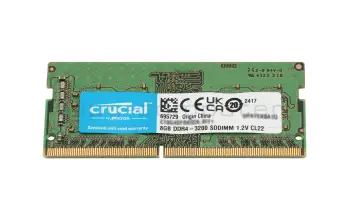
Crucial CT8G4SFRA32A memory 8GB DDR4-RAM
In stock
63.00 EUR
incl. Tax (19%)
plus shipping charges

Crucial CT8G4SFS832A memory 8GB DDR4-RAM

Crucial CT8G4SFS832A memory 8GB DDR4-RAM
In stock
63.00 EUR
incl. Tax (19%)
plus shipping charges

Substitute for Micron MTA4ATF1G64HZ-3G2F1 memory 8GB DDR4-RAM

Substitute for Micron MTA4ATF1G64HZ-3G2F1 memory 8GB DDR4-RAM
In stock
63.00 EUR
incl. Tax (19%)
plus shipping charges

Crucial CT16G56C46S5 memory 16GB DDR5-RAM

Crucial CT16G56C46S5 memory 16GB DDR5-RAM
Small stock
173.00 EUR
incl. Tax (19%)
plus shipping charges

Substitute for Asus 03A12-00022600 memory 16GB DDR5-RAM

Substitute for Asus 03A12-00022600 memory 16GB DDR5-RAM
Small stock
173.00 EUR
incl. Tax (19%)
plus shipping charges

Alternative for Hynix HMCG78AGBSA memory 16GB DDR5-RAM

Alternative for Hynix HMCG78AGBSA memory 16GB DDR5-RAM
Small stock
173.00 EUR
incl. Tax (19%)
plus shipping charges

Alternative for Samsung M425R2GA3PB0-CWM memory 16GB DDR5-RAM

Alternative for Samsung M425R2GA3PB0-CWM memory 16GB DDR5-RAM
Small stock
173.00 EUR
incl. Tax (19%)
plus shipping charges

Alternative for Micron MTC8C1084S1SC56BD1 memory 16GB DDR5-RAM

Alternative for Micron MTC8C1084S1SC56BD1 memory 16GB DDR5-RAM
Small stock
173.00 EUR
incl. Tax (19%)
plus shipping charges

Hynix HMA81GS6DJR8N-XN memory 8GB DDR4-RAM

Hynix HMA81GS6DJR8N-XN memory 8GB DDR4-RAM
In stock
59.00 EUR
incl. Tax (19%)
plus shipping charges

Substitute for Acer KN.8GB0G.069 memory 8GB DDR4-RAM

Substitute for Acer KN.8GB0G.069 memory 8GB DDR4-RAM
In stock
59.00 EUR
incl. Tax (19%)
plus shipping charges

What do I have to know when upgrading my RAM?

The first thing to check is wheter an expansion of the RAM is possible at all. In order to check this you have to look into the inside of the laptop. Some laptops have a service door, but it's possible that the complete bottom plate of the unit has to be taken off.


Now you should be able to see whether the existing RAM modules are soldered or whether a slot is available. Only if there's a slot, an extension can be installed. On the flipside, if there's no slot, there is the possibility to replace an existing laptop RAM module with a higher capacity one.

Lastly, If an upgrade of the RAM is possible, it's furthermore necessary to check which capacity the new so-DIMM may have maximum. The total memory minus the memory already installed equals the maximum possible memory expansion. For example, suppose your laptop can address 20GB. On the other hand, there are 12GB installed. As a conclusion, the available or upgradeable storage capacity in this case is 8GB.

Interesting articles on the subject of notebook RAM memory

Does the memory fit my device?

If you are unsure whether the RAM module fits your notebook, this video provides a short and clear answer to all important questions about compatibility.

Learn more >

This is how you can easily find the suitable RAM

Laptops only require the so-DIMM RAM memory type. To find the right the memory, you have the possibility to search through your laptop model or through our RAM module finder.


First of all, to find a suitable storage for your model, please look for the device details on the label of your laptop. Luckily, we show you where you can find these. Finally, you can see the appropriate items under the RAM category.

Alternatively, the RAM Module Finder can be used to navigate to the appropriate memory. The filters are used to quickly get the laptop RAM you are looking for. It can be filtered by capacity, memory type, timing (speed) and many other aspects. If you do not know the technical data of your required memory, our FAQ-post can help. Additionally, we will show you which tools you can use to determine if you have a DDR3, DDR3L or DDR4 memory type and how the other technical data can be read out.

Nowadays, all modern, quality laptops use a two channel system called "dual-channel operation". Therefore, it would be advantageous if the memory modules come from the same manufacturer and have the same capacity and clocking. Otherwise, there may be problems with dual-channel operation.

Laptop RAM FAQ

Here you can find all questions and answers surrounding laptop RAM

  • Can I exchange my RAM myself

    Yes, you can, it only requires a bit of technical knowledge and maybe a manual.

    We recommend letting a technician do it.

    There are notebooks where the RAM is located on the back of the machine, these often have an access hatch for easier installation of RAM. If the RAM is located underneath the keyboard a full disassembly of the notebook is required.

  • Can I install different RAM modules, than the ones already installed

    You can install RAM from a different manufacturer, as long as the specifications are the same.

    For example, when your computer currently has a DDR3 SO-DIMM module with a speed of 1600MHz installed, you should only use DDR3 SO-DIMMs with a 1600 MHz speed to upgrade/replace your RAM. It is possible to use different frequencies but the system will then use the speed of the slowest RAM module.

  • Does the MHz specification have to match

    From DDR4 onwards, the MHz no longer play a role in the compatibility.

  • What is the difference between DDR3 and DDR3L?

    The difference between the two types of DDR3 is in their supported voltages. Normal DDR3 requires 1,5 Volt, whereas DDR3L (L for Load reduced) also supports 1,35 Volt. This reduction in voltage results in a slightly lower power consumption. However, this reduction is so small, that the difference in battery life caused by using load reduced RAM even in laptops is hardly noticeable. It only makes a difference in data centers with hundreds of computers, each with up to 32 memory modules.

    Even though the power consumption difference is tiny, you have to watch out for compatibility. Systems, which only support normal DDR3 usually, work with DDR3L, too, because it also supports 1,5 Volt. But there are computers, especially laptops, which only support DDR3L. Normal DDR3 might work here, however this is not guaranteed and might come with some stability issues. So, if you are not sure, which type of DDR3 your system needs, it is better to buy the load reduced variant or consult an expert.

  • What is the maximum amount of RAM my laptop supports

    Expanding the main memory by retrofitting a RAM module is a common tuning measure. Significant improvements result when working with many applications in parallel or when the device already swaps out data to the FP by default (swapping) from the operating system. Nowadays, more and more devices have their main memory soldered directly to the mainboard and can therefore not be replaced. The decisive factor is whether the device still has a free slot for additional memory modules and how many GB you can put in there in total. If such a free slot is available, it is important to determine the right memory module and insert it into the appropriate slot, which is usually located under the bottom of the device or under the keyboard. Almost all devices, with the exception of some ultrabooks and netbooks, already have two or more sockets for storing memory modules. Up to which GB maximum size you can upgrade depends on the mainboard, chipset (information on this is provided in the device manual) and the availability of the modules.

    See also:
  • What RAM do I need for my Notebook

    You can use the following tools to see what RAM your Notebook needs:

    AIDA (Download: www.lavalys.com)

    CPUZ (Downlaod: www.cpu-z.de)

    SIW (System Information for Windows) (Download from www.heise.de)

    HWiNFO (Direct download here)

    Alternatively, you can remove the currently installed RAM and read the necessary specifications from the labels on them. Should there be no label or should you not be able to recognize the type of RAM needed. You can still use the tools listed above or consult a specialist.

  • What speed does my RAM run at

    In Windows 10 open the Task-Manager (Control+Shift+Escape), then click on more details in the bottom left corner. Select the tab performance and click on RAM Now you will be able to see many values about your RAM including its speed.

  • Where can I see how much memory I have installed in Windows 10

    To see how much memory you have installed in your PC, you first need to open the Task-Manager. The you click on "more details" in the bottom left corner. Now choose Performance in the menu on the top, afterwards select Memory from the menu on the left. The you will not only be shown the amount of Memory in your System, but also further details, like how many slots are occupied. If there still is a free slot, you can easily double your memory by installing another one of the same modules already installed.

  • Where can I see how much RAM I have installed in Windows 7

    To see how much RAM you have installed in Windows 7 you have to do the following steps:

  • Why does my notebook show less RAM, than I have installed

    It could because you installed a 32-Bit operating system, since they can only address up to 4 GB of RAM. Additionally, other system components like your graphics card also need RAM. That is why if you have 4GB installed you won’t be able to utilize every last MB of it.

    A 64-bit operating system can address more than 4GB of RAM. So, you can install more than 4GB even in an older Notebook, provided the rest of the hardware supports it too.

  • Windows crashes all the time and shows Bluescreens, is my RAM broken

    There can be many reasons for your operating system crashing but bluescreens are often a clear sign for defective RAM. Error messages like "pci.sys could not be found" also hint at faulty RAM.

    You can use a memory test to check your RAM for faults. These can be found on every Ubuntu installation CD under "Memtest".

    On www.ubuntu.com you can download an image of this CD, burn it o a CD and boot your PC from it to execute the Memtest on it.

    Or you could bring your laptop to a technician, who can fix the fault for you.