USB-C accesories: Cable, adapter and converter
USB Type-C is a relatively new standard, this is why most people do not know it yet. However, this will change soon, because this new standard is a lot more versatile than USB Type-A. If you are wondering, what exactly you can do with your notebooks USB-C connection or where the differences between the different USB-variants are, our FAQ-site will help you.
![[Translate to Englisch:] USB-C Zubehör](https://cms25.ipc-computer.de/fileadmin/_processed_/8/b/csm_USB-C_e19f651ae4.jpg "[Translate to Englisch:] USB-C Zubehör")
USB-C cables
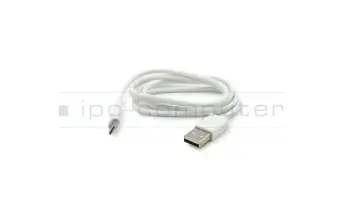
For USB-C there are different cables. USB-C to USB-C cables allow you to charge a type-C device with a Type-C charger or to connect two USB type-C devices. USB-A to USB-C cables are often used to charge phones or to connect type-C devices to a “regular” USB port.
USB-C mini docks, dongles and adapter
These devices still use the USB-protocol but use a hub and other chips to extend their functionality. They have at least one USB type-A connector, often a type-C port for charging and sometimes card readers, audio, video or LAN ports.
USB-C port replicators
They are a lot bigger and bulkier than dongles, but also offer a lot more functionality. All of them can charge the device, have multiple USB ports, offer a LAN connection for a reliable and fast network connection and sometimes even multiple display connections. Sometimes they even have an on/off switch, so that you can access the full potential of your device via a single cable.
Thunderbolt 3 port replicators
They offer the same connections as their USB-C counterparts, but more of them via a faster connection. You can also daisy chain additional thunderbolt devices off of them to connect a lighting fast SSD or even an external GPU.