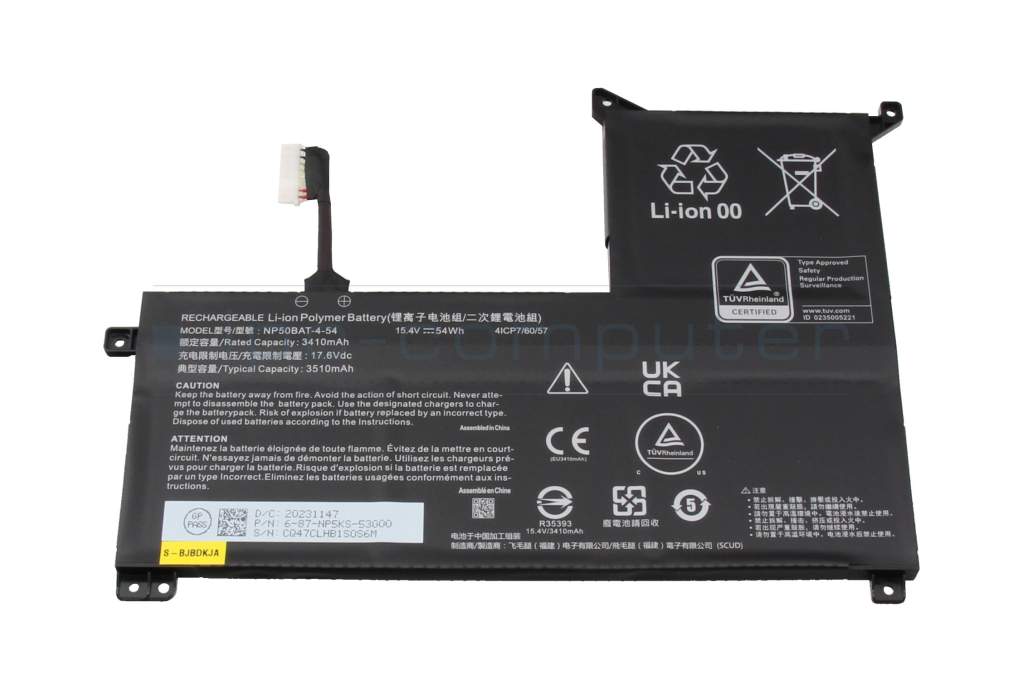
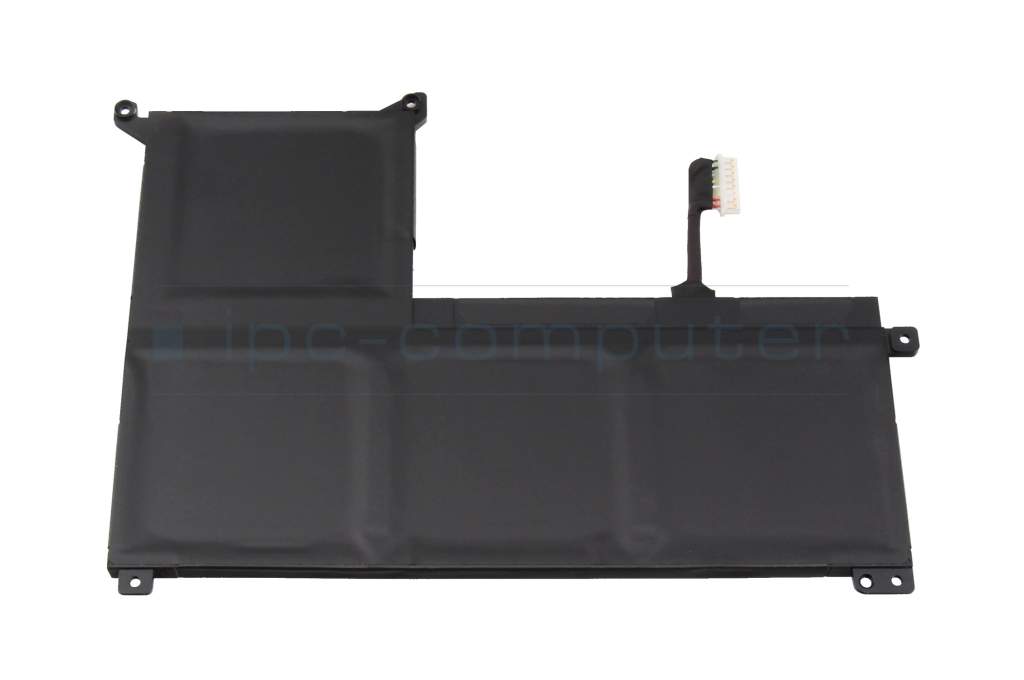
40081753 original Medion battery 54Wh
MEDION Original
119.00 EUR
incl. Tax (19%)
plus shipping charges
Only1 pieces in stock.
Express shipping possible.
Installation in our repair shop

Substitute part numbers:

4ICP7/60/57

Manufacturer
Medion
Item Number
40081753
Sub-Partnumbers
4ICP7/60/57
Sicherheitsinformationen
Sicherheits- & Herstellerkontakt-Informationen

Common data

Condition
New
Manufacturer
Original directly from Medion
Color
black

Technical Data

Battery type
intern
Battery technology
Li-Polymer
Capacity
3410 mAh / 54 Wh
Output (volt)
15.4 Volt
Number of cells
4 Cells

Battery Quality

Category

Category
Batteries
Usage
Laptop
Excerpt of suitable models for P/N 40081753
Clevo NP60PNP-M , Clevo NP50PNJ-M , Medion Erazer Crawler E30e (NP50PNJ-M) , Mifcom Gaming Laptop i7-12700H (NP50PNP) , Sager Notebook NP6271J (NP70RNJS) , Medion Erazer Defender P50i (NP70RND) , Medion Erazer Scout E10 (NP70PNJ-M) , Schenker Media 16-M22 (NP50PNP) , Schenker XMG Focus 16-M22 (NP60PNP) , Schenker Media 16-E22 (NP50PNP)

You've found this article over a part number. We'll check if it's the correct sparepart for your machine. To do this, please insert the manufacturer and the name of the model in the order comment.

How to identify my notebook model?

Videos & Contributions

Determine the battery life of the notebook - this is how it works!

Determine the battery life of the notebook - this is how it works!

How do I determine the battery life of my notebook based on the performance data of the battery?
Learn more >

Instructions - Replacing the Integrated Notebook Battery

In diesem Video siehst du, wie man den internen Akku sicher tauschen kann. Hier getzeigt an einem Lenovo ThinkPad E590.

Learn more >
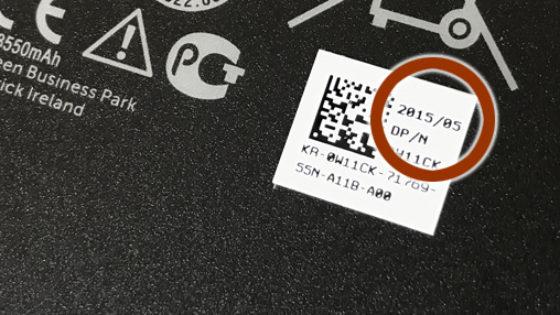
Why are there different capacities on the battery?

Why are there different capacities on the battery?

We keep receiving inquiries regarding several performance data in mAh on the supplied batteries. Which performance value is relevant for the notebook owner for the runtime in battery mode?
Learn more >
Why are notebook batteries often a few years old when you buy them?

Why are notebook batteries often a few years old when you buy them?

If original notebook batteries are available, we also use them for repairs. But very often we get a question from customers who take a closer look at the label on the battery, why the notebook battery is so old.
Learn more >
How can I recharge my notebook battery to 100%?

How can I recharge my notebook battery to 100%?

Whether old or new, often used or dust catchers, notebook batteries are prone to defects. It is therefore important to take various measures to maximize capacity and service life.
Learn more >

Important and useful informations about laptop Batteries

Frequently asked questions about Batteries

  • How do I take care of and charge my battery correctly?
    • If you mainly use your laptop while it’s connected to mains, you should remove your battery and only charge it every one to two months.
    • Don’t fully discharge your battery, because this can lead to a depth discharge. Charge the battery again, when between five and seven percent of charge remain.
    • If possible charge your battery while the notebook is turned off. The optimal temperature for batteries is between 10 and 30°C, this range is usually exceeded in a powered-on notebook.
    • If you have multiple batteries for your device, rotate between them.
    • After being uncharged for a while, the battery needs about two to three complete charge cycles to reach its full capacity again.
    • Avoid high temperatures for example due to direct sunlight or being left in a hot car. High temperatures increase the self-discharging rate.
    • Rechargeable Lithium-Ion batteries, which are found in nearly all modern electronics, have a limit of somewhere between 500 to 1000 charge cycles. However, turning your laptop on and off while plugged in is one charge cycle. This is why we recommend removing the battery when using the device plugged in for a longer time.
    • Furthermore, it would be optimal to never fully charge or discharge your battery, but rather to keep it between 20% 80% charge.

    Some manufacturers integrate a battery protection function in their notebooks. This function only allows charging up to 80% capacity to prolong he lifespan of the battery.

    The so-called memory-effect of a Lithium-Ion battery can be disregarded in normal use, a complete charge after a complete discharge is not needed.

    On the contrary for many modern devices the opposite is true, it is best to keep the charge between 20% and 80%. This is due to the sensitivity of Lithium-Ion batteries to depth discharge and overcharge. However, in most devices control electronics prevent the user from making any grave mistakes. For example, Apple implements a function which charges the battery as fast as possible up to 80% but charging slows down a lot after that. This conserves the lifespan of the battery at the cost of charge time.

    One thing that should be avoided though is leaving your device plugged in for many days in a row. The battery should be discharged once in a while to move the ions inside.

  • How long does the charge of a battery last

    This is a question, that is hard to answer, because it depends on a lot of different factors such as CPU, Display, GPU. Usually a 15.6" notebook consumes about 20W when using the battery. A 17" unit can also use a bit more.

    With these 20W a 60Wh battery would last for 3 hours. t = W/P = 60Wh/20W

    The energy stored in the battery can be calculated as follows:

    W = U * i* t for a 6-cell battery with 4400 mAh this would be 11.1V * 4.4Ah = 48,4 Wh

    With the 20W of power consumption this battery would last about 2.5 hours.

    If you wish to conserve battery life, the following tips might help you:

    • Use the energy saving function in Windows found in the system controls und the power options
    • Reduce the brightness of your screen since it consumes most of the power in a laptop.
    • Turn off Wi-Fi or Bluetooth when it is not needed.
    • Disconnect external devices like hard drives when not in use.
    • Deactivated unnecessary tools or programs, that are running in the background.

All questions about Batteries

loader

Accessories, suitable alternative products and recommendations

IPC-Computer SCREW2 Screwdriver and opener set - 80 pieces
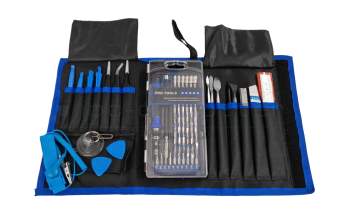
IPC-Computer SCREW2 Screwdriver and opener set - 80 pieces
In stock
36.00 EUR
incl. Tax (19%)
plus shipping charges